One primary focus
Make the next action easier to identify. Tradeoff: less information on the first screen.
CASE STUDY / SELF-INITIATED CONCEPT
Clearspace explores a quieter workspace for independent people and small teams: one clear overview, a short plan for today, and a visible sense of progress.
Fictional case study. The brief and project history are illustrative. No client engagement, research findings, or business results are claimed.
01 / PROJECT NOTES
A useful workspace should make the next step easier to see. The starting assumption is that when every task receives the same visual weight, people have to prioritize the list again every time they open it.
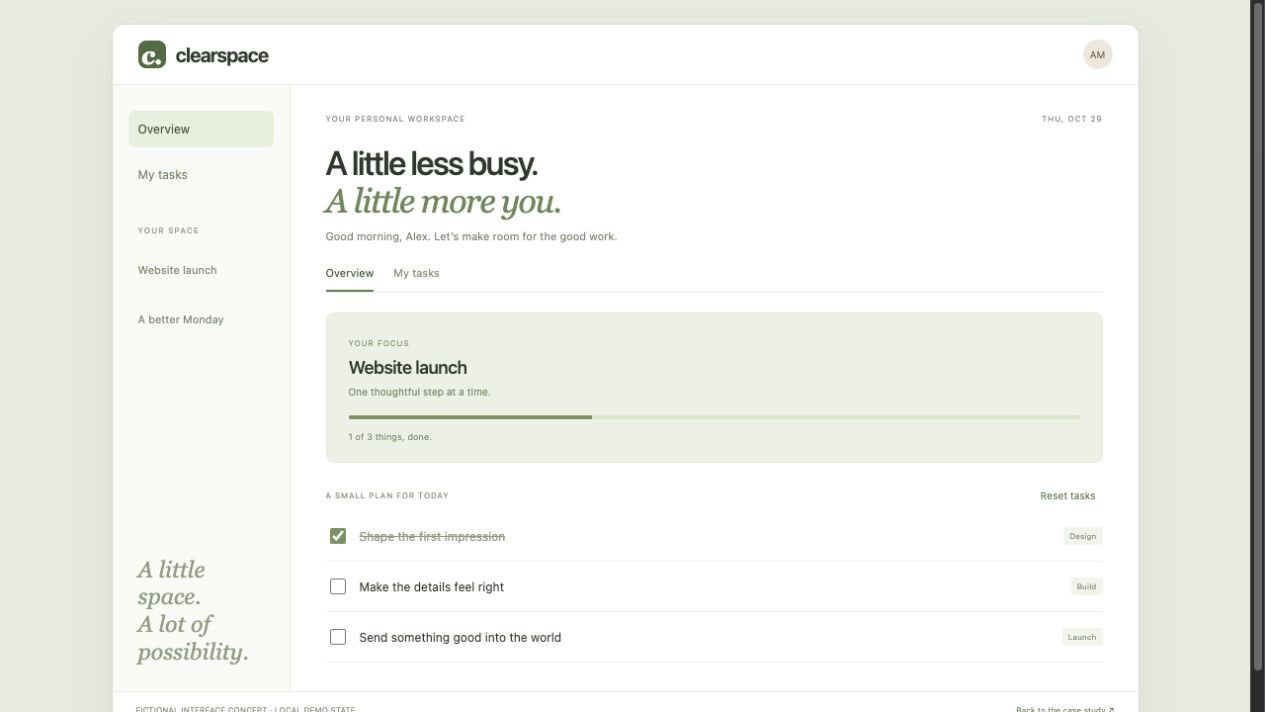
The brief was to design a smaller alternative: show the current focus, keep today’s plan short, and make completion clear. Work outside that plan should stay available without competing for attention.
The concept covers planning, task states, and visual hierarchy. Accounts, permissions, notifications, and a production database need a separate specification.
02 / PROJECT NOTES
For this sample engagement, the role combines product thinking and interface engineering. I translated the brief into three everyday moments and used them to decide what belonged on the first screen.
See the current project and its next small steps before opening a longer list.
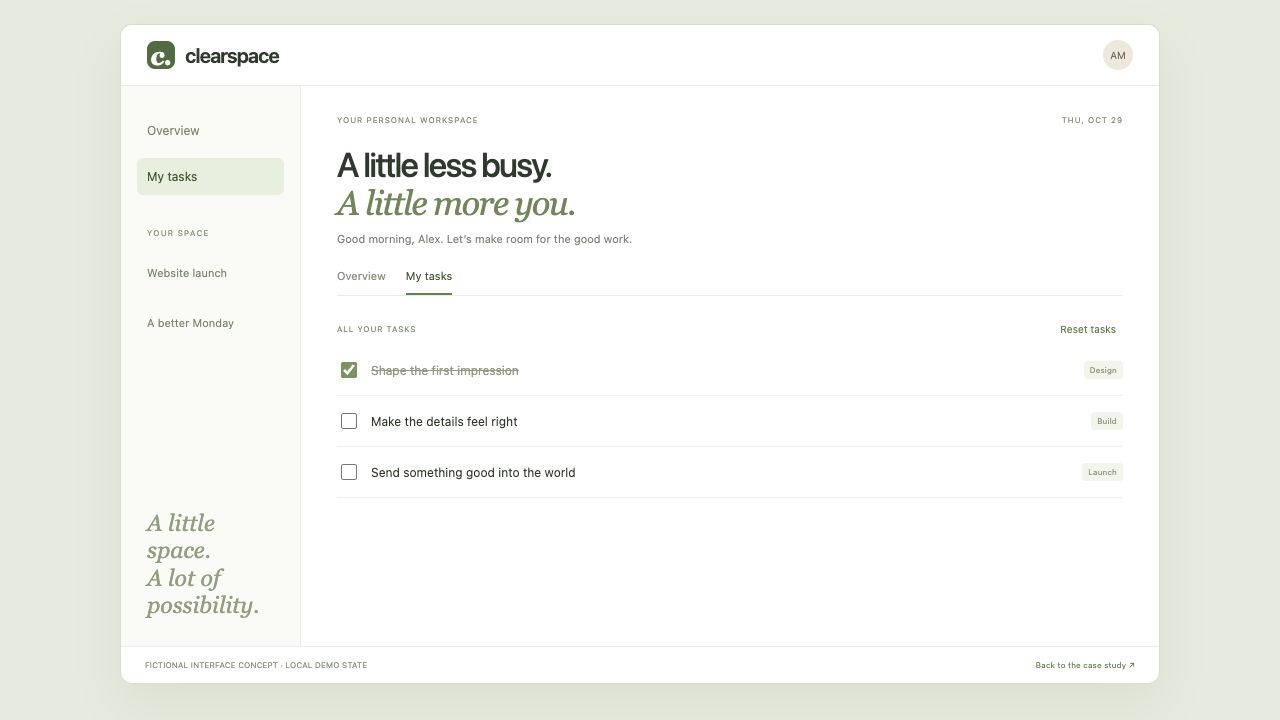
Move to a focused task view using the same labels and completion language.
Make completed work explicit and keep progress easy to understand.
03 / PROJECT NOTES
The overview gives one project priority. A short description explains why it is here; a small progress indicator shows completion without turning the workspace into an analytics dashboard.
The companion task view removes the focus card. The same task names and completion states remain, so the view change feels like a change of emphasis.
04 / PROJECT NOTES
Quiet surfaces separate groups without giving every block a heavy border. A restrained green accent belongs to the Clearspace product concept; labels and checkmarks communicate state alongside color.
A small set of repeatable spacing steps connects titles, supporting text, and task controls. Task names can wrap on narrow screens without losing their relationship to their completion state.
Make the next action easier to identify. Tradeoff: less information on the first screen.
Support planning and doing separately. Tradeoff: a second view to maintain.
Keep the experience consistent. Tradeoff: fewer special layouts for individual features.
05 / PROJECT NOTES
The result is a focused interface direction with a coherent overview, task list, and completion language. The accompanying concept lets you switch views and mark tasks complete; state remains local to this demonstration.
The case study connects those interface choices to the brief. It does not claim increased retention, productivity, production adoption, or a completed client engagement.
Ask independent workers to identify today’s priority, locate a task, and explain its completion state without a walkthrough. Check whether the hierarchy is obvious, the views feel connected, and the reduced overview leaves out anything essential.
Only after that would I specify a production pilot, persistence, permissions, and measurable success criteria.
← Back to selected projects